There is a moment in every player’s development where scales stop being enough. You can run patterns all day and still sound like you are reading from a textbook. The thing that makes a solo belong over a chord progression is knowing which notes matter over which chord. Root, third, fifth. Then seventh, ninth, and beyond.
This is a tool for seeing that and practising it under pressure.

What it does
You pick a key, a scale system, and a progression. The fretboard lights up with chord tones colour coded by interval. Gold is the root. Red is the third. Teal is the fifth. Green is the seventh. Blue, purple, and pink handle the upper extensions.
Hit play and a metronome counts time while the progression advances. The fretboard updates with each chord change. Your job is to find and play the tones before they move on.
The progression bar across the top shows every chord in the sequence. The active chord is bright, the next is dimmed, and the rest fade out. You always know where you are and where you are going. Tap any chord in the bar to jump straight to it, even while the transport is running. No need to stop and restart.
The chord table underneath shows every diatonic chord in the key with its full extension stack and mode name. The whole system is connected. Change the key, change the scale, change the progression, and everything recalculates.
The intervals
Seven interval buttons sit below the dropdowns: R, 3, 5, 7, 9, 11, and 13. Each one toggles a layer on the fretboard. The tool defaults to R, 3, and 5 because triads are the skeleton. Turn them all on and the neck fills with colour.
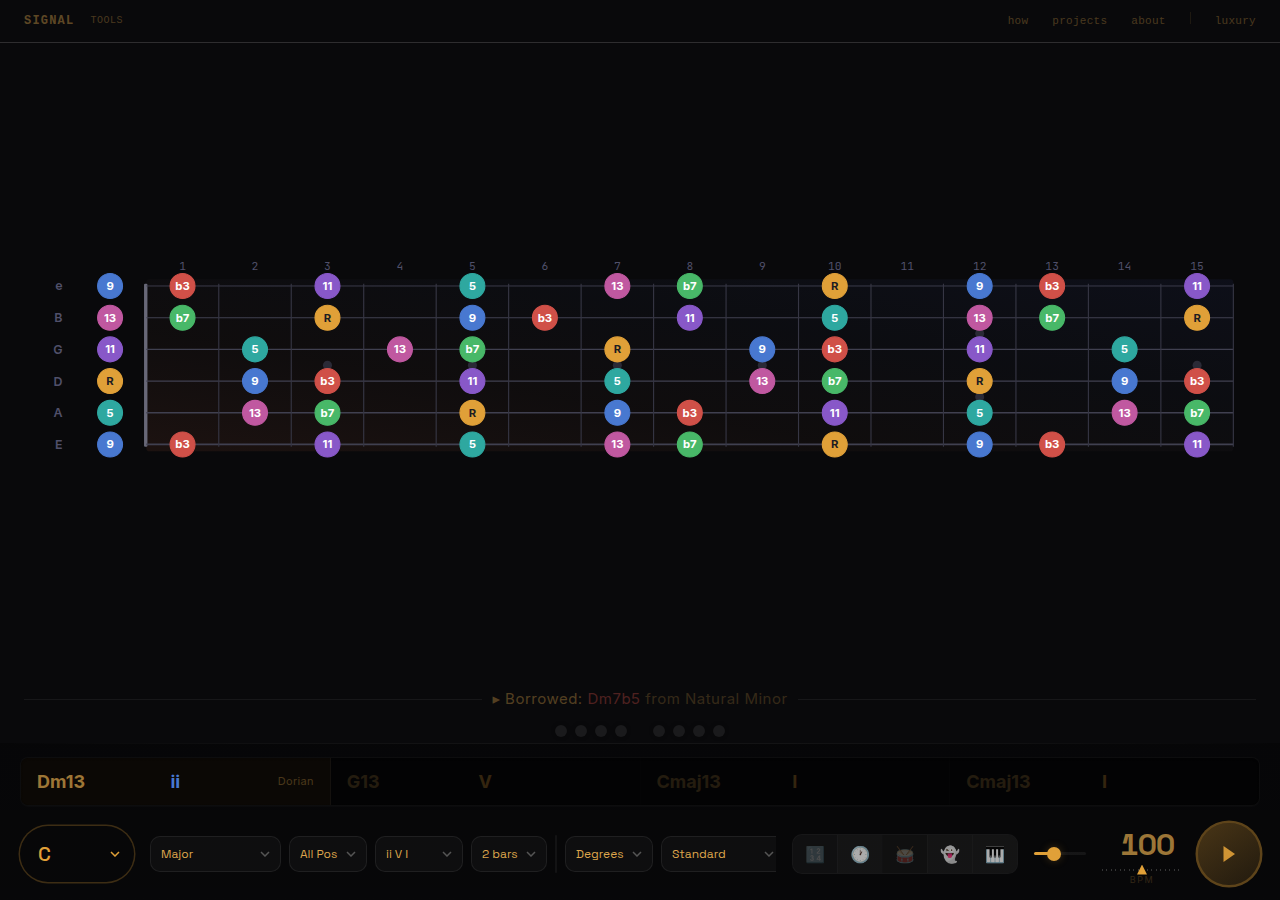
These buttons do more than filter the fretboard. They control the pad sound and the chord names in the progression bar. Toggle on the seventh and the pad adds it to the voicing while the bar updates from C to Cmaj7. Turn off the seventh and it becomes C. Turn off the third and add the fifth and it reads C5. The whole system responds to what you have selected. What you see, what you hear, and what you read are always the same thing.
Start with triads until you can land them without thinking. Add the seventh. Then the ninth. Each layer adds harmonic detail but only works when the foundation is solid.
Scale systems
Six systems cover the harmonic vocabulary you will actually encounter:
Major and Natural Minor with full seventh chord harmonisation and all seven modes. This is where most practice starts and where most music lives.
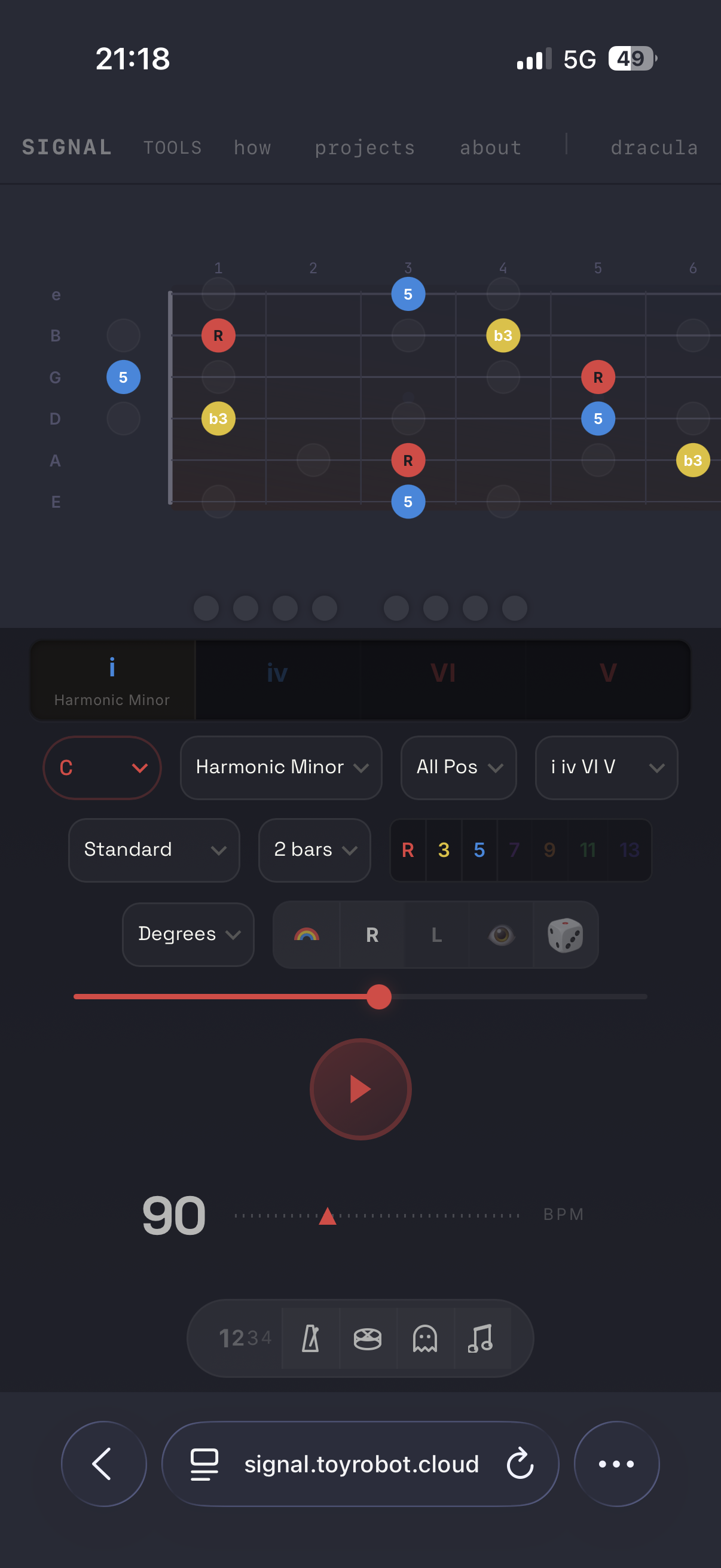
Harmonic Minor is where things get interesting. The V chord becomes a dominant seventh, which is the Phrygian Dominant scale. This is the sound of tension in minor key jazz and classical music. The tool shows you exactly which notes create that tension and where they sit on the neck.
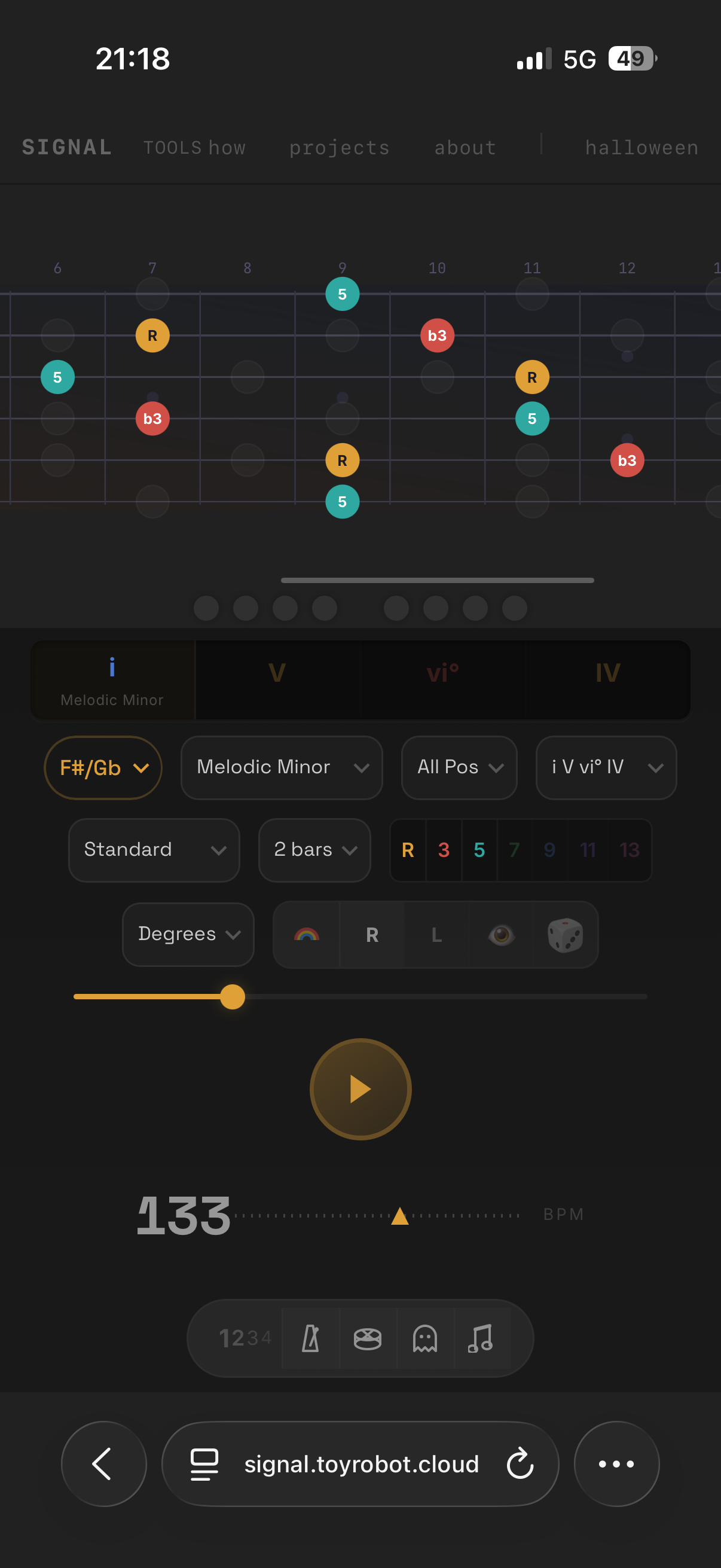
Melodic Minor gives you the Altered scale on the VII chord, the most common substitution sound in jazz.
Augmented and Diminished handle symmetric harmony. The aug triad (R, 3, #5) repeats every major third. The dim7 arpeggio (R, b3, b5, bb7) repeats every minor third. Both are essential shapes for the fretboard. The pad voices these correctly too, so you hear the tension of a diminished seventh or the floating quality of an augmented triad while you practise over them.
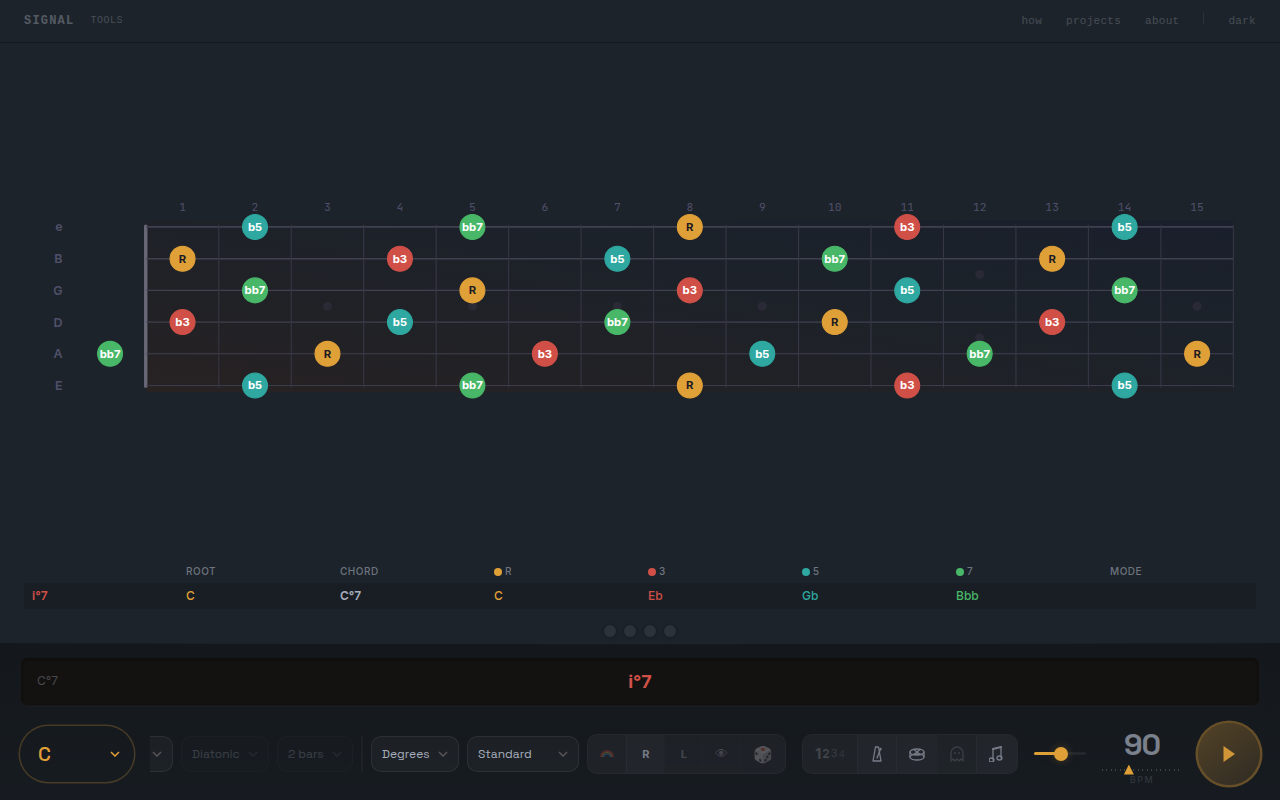
The dim7 upgrade matters. A bare diminished triad is rare in the wild. Dim7 is what jazz musicians actually play, and the tool shows all four tones with the seventh interval chip active.
Progressions
Ten built in progressions cover the common ground. ii V I, I IV V, I V vi IV, and more. The progression bar shows the full sequence with chord names, Roman numerals, and mode names. On mobile, each segment stacks the numeral above the chord name so both are visible without eating up space.
The chord names in the bar are not static labels. They reflect your interval selection in real time. If you have R, 3, 5, and 7 active, you see Cmaj7. Turn off the seventh and it becomes C. Turn off the third and add the fifth and it reads C5. This is the tool spelling out what you are actually practising.
Bars per chord can be set to 1, 2, or 4 depending on how much time you want over each change.
Diatonic mode is different. Instead of cycling through a progression, the tool holds on whichever chord you select. Tap a different chord in the degree bar and it switches immediately, updating the fretboard and the pad together. This is for exploring one chord at a time without the clock pushing you forward.
The pad
The pad plays a soft chord voicing through reverb so you can hear the harmony you are supposed to be playing over. It is not a fixed voicing. It plays exactly the intervals you have selected.
Select root, third, and fifth, and you hear a triad. Add the seventh and the voicing expands. Select only the root and you hear a single sustained note. The pad follows your interval buttons, whether the transport is running a progression or you are tapping chords manually in diatonic mode.
Hearing the chord while you see its tones makes the connection between sound and shape much faster than either one alone.
The metronome
Four more sound layers mix independently alongside the pad. The click is a clean downbeat tick. The drummer plays a pattern that loops at whatever tempo you set, so it feels like playing with a rhythm section instead of a machine. The ghost overlay draws the next chord’s tones as transparent outlines that fade in before the change, giving you a visual heads up. The count in gives you four beats before the progression starts.
Positions
The position dropdown divides the fretboard into five zones, each about five frets wide, anchored to the root note on the lowest string. They correspond to the five CAGED shapes. Each zone contains a complete voicing of the chord in a different region of the neck.
Pick a chord, pick a position, and learn what is under your hand right there. Then move to the next position and do it again. Once you can find every chord tone in all five zones, the whole neck opens up.
Borrowed chords
Below the diatonic chord table, a collapsible Borrowed section shows chords from parallel scale systems that do not appear in the current key. These are the chords that sound surprising but right. A bVII from Natural Minor over a Major key. A V7 from Harmonic Minor. Tap any borrowed chord and the fretboard lights up with its tones, showing exactly where the non diatonic notes land.
Everything else
A few more things round it out:
Left and right hand mode flips the entire fretboard for left handed players. The nut moves to the right, the string labels switch sides, and note positions recalculate. Not a cosmetic flip. A real structural one.
Shapes replaces the coloured circles with geometric shapes. Root stays a circle. Third becomes a rounded square. Fifth becomes a diamond. Seventh is a triangle. For players who find shape faster to track than colour, or who want both going at once.
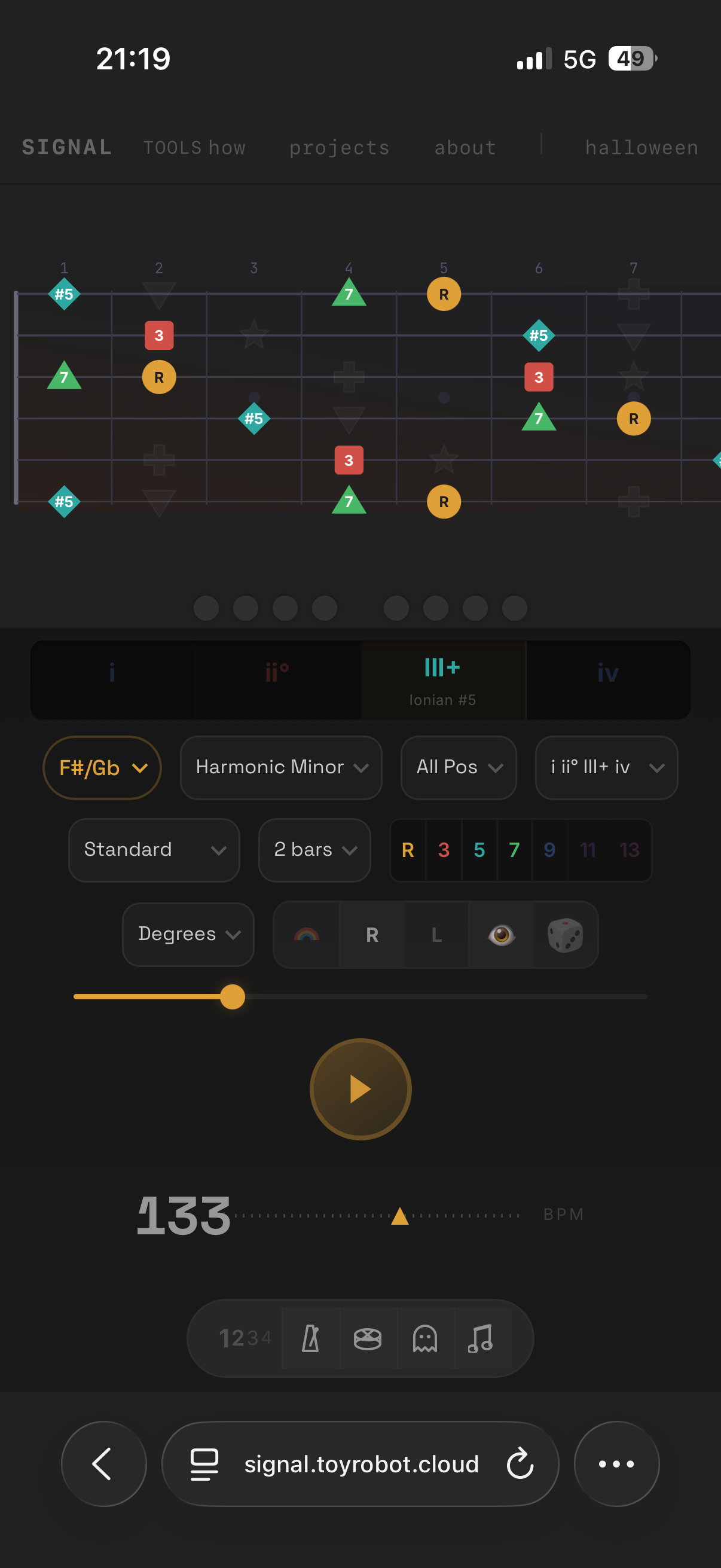
Scotty West colours switches to a more saturated palette. Red root, yellow third, blue fifth, purple seventh. Some people find it easier to read at a glance.

Eleven tunings across guitar and bass. Guitar gets Standard, Eb Standard, Drop D, Drop C, Open G, Open D, DADF#AE, and DADGAD. Bass gets 4 string standard, Drop D, and 5 string (low B). The fretboard adapts its string count, spacing, and thickness when you switch. Bass strings render wider and heavier, like the real thing.
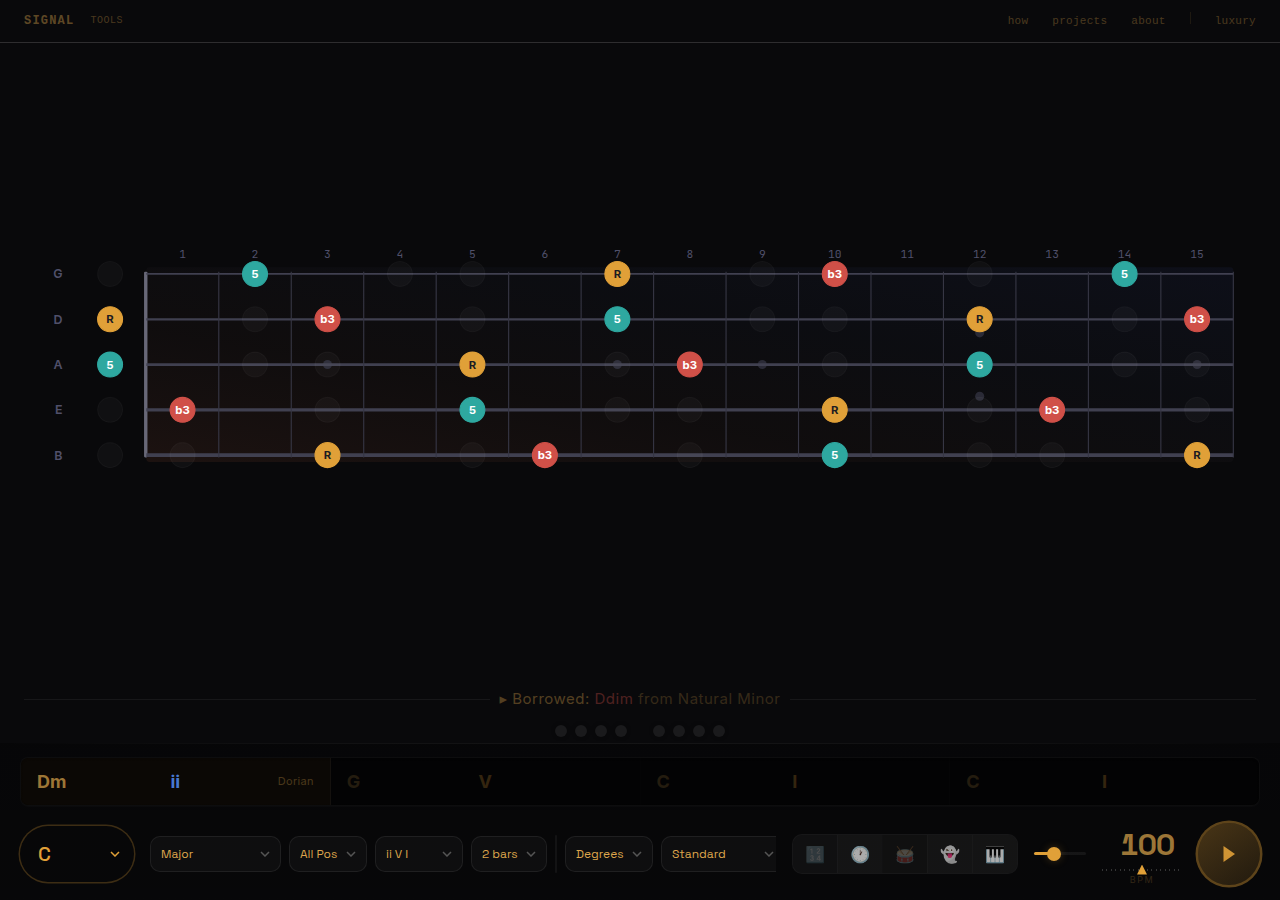
Degree and note labels toggle between interval names (R, b3, 5) and pitch names (C, Eb, G). Degree mode is better for learning patterns. Note mode is better for learning the neck.
Click the BPM number to type an exact tempo instead of dragging the slider. Enter confirms, Escape cancels.
Mobile first
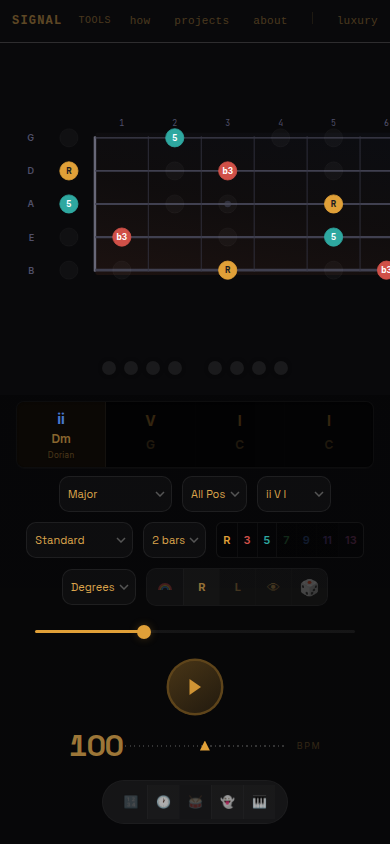
The whole thing is built for the phone on the music stand. The fretboard sits at the top where your eyes naturally land. The progression bar, controls, and transport stack below in the order you need them. No scrolling during practice. Bass mode works on mobile too, with the fretboard adapting to fewer, wider strings.
How to use it
Pick a key you are comfortable in. Set the progression to ii V I. Drop the BPM to something slow, maybe 60. Turn on the click and the pad. Start with just R, 3, 5 showing.
Press play. When Dm7 comes up, find the D, F, and A under your fingers and play them. When it moves to G7, find G, B, and D. When it lands on Cmaj7, find C, E, and G. Loop it. Do not think about it. Just find the notes and play them before the bar changes.
When that feels easy, add the seventh. The pad will add it too, so you hear the fuller voicing while you learn to find it on the neck. When that feels easy, bump the tempo. When that feels easy, change the key. The progression of difficulty is built into the controls.